Asset Store
Discover high-quality assets for your next game project, or create your own with AI.
Create AssetDiscover high-quality assets for your next game project, or create your own with AI.
Create Asset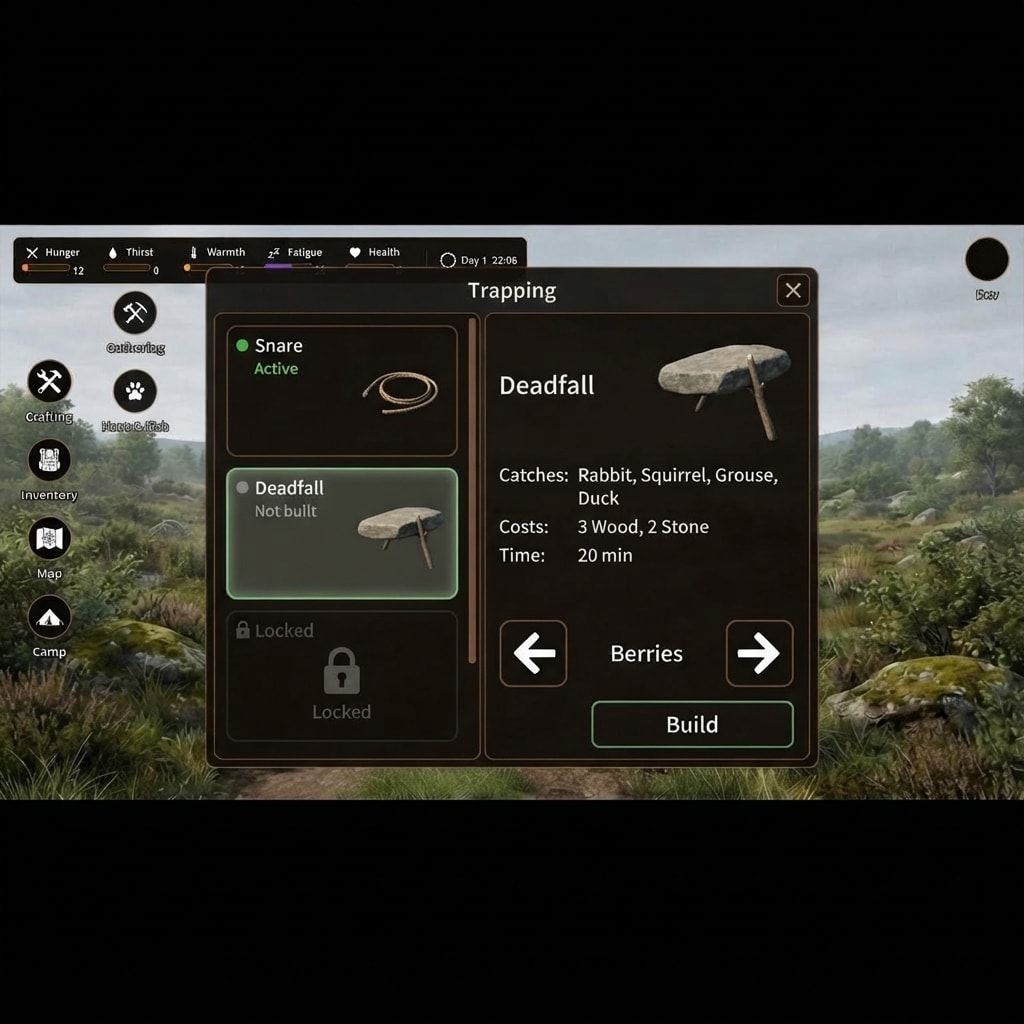
Made with Nano Banana 2 Lite · CC0 · 16 Sept 2026
Generated from: Using this image as the exact base, keep the solid black bars at the top and bottom exactly as they are, and keep the widescreen game screenshot between them the same size and position. Keep the landscape, the top status bar, the round icons on the left and the Dev icon exactly as they are. In the center of the game screen, below the status bar and to the right of the left icons, add a large trapping window in the same dark, slightly translucent charcoal-brown style as the status bar, with thin warm-brown borders and softly rounded corners. The window sits fully inside the game screenshot. At the top of the window is the title "Trapping" and a square close button with an X. The left column holds three trap cards stacked vertically: "Snare" with a green dot and "Active", "Deadfall" with a grey dot and "Not built", and a dimmed card labeled "Locked" with a padlock. The Snare card shows a small loop of rope, and the Deadfall card shows a flat stone propped on a stick. The Deadfall card is selected and has a soft green border. The right column shows the heading "Deadfall" beside a picture of a heavy flat stone propped up on a stick. Below are three rows of text: "Catches: Rabbit, Squirrel, Grouse, Duck", "Costs: 3 Wood, 2 Stone" and "Time: 20 min". At the bottom is one row with a large left arrow button, "Berries", a large right arrow button, and a "Build" button with a green border. The arrow buttons are as tall as the Build button. The text is large and easy to read on a phone, and the buttons are big enough to tap with a thumb.
Creator
Trygve Brox
Sign in to join the conversation.
Sign in to comment🌍CC0
Use, share, and remix the model freely with no restrictions and no attribution needed.