Asset Store
Discover high-quality assets for your next game project, or create your own with AI.
Create AssetDiscover high-quality assets for your next game project, or create your own with AI.
Create Asset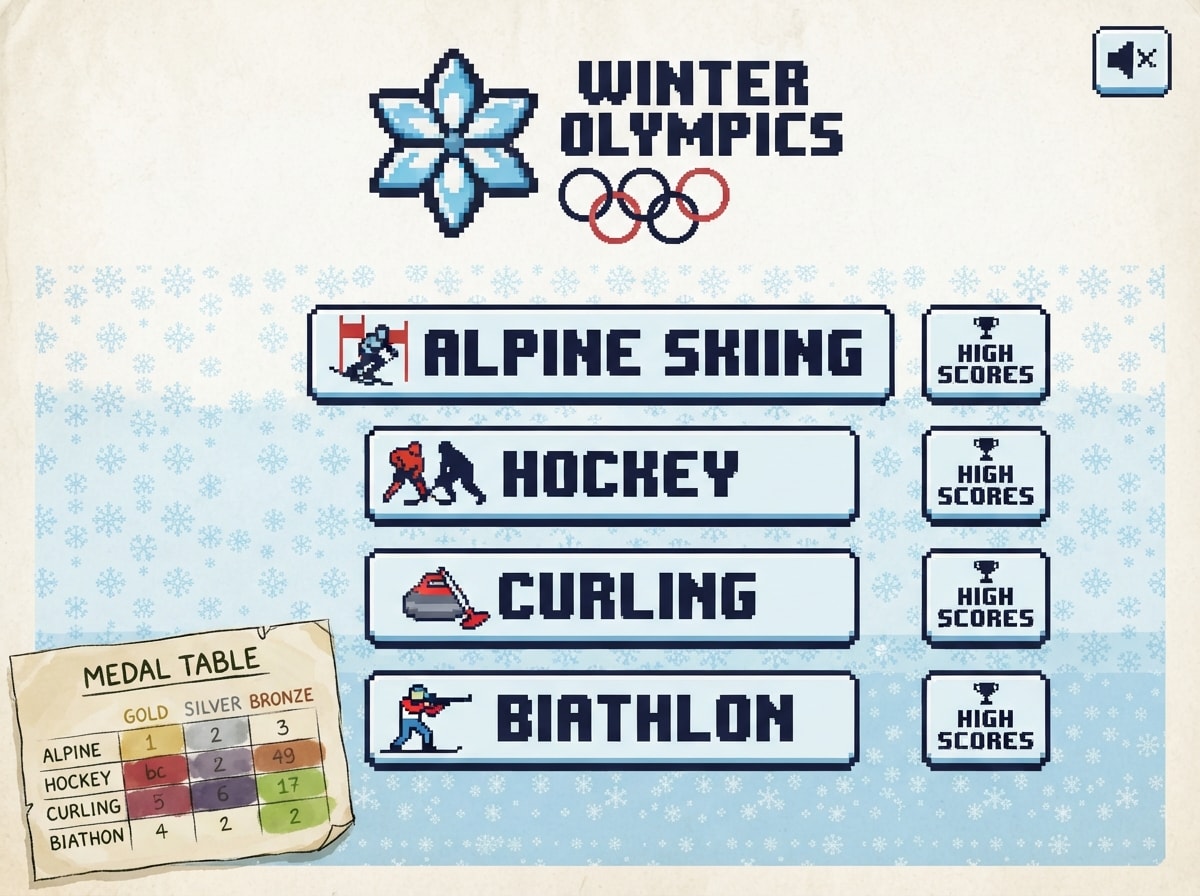
Made with Nano Banana 2 Lite · CC0 · 3 Oct 2026
Generated from: a scene from a small video game about: Make a retro pixel-art game called "WINTER OLYMPICS 1998". Everything is pixel art with a limited 16-color palette, and all sound is 8-bit chiptune made with the Web Audio API (no external audio files). Add a mute button. LOOK & THEME - Title screen shows a pixel-art snowflower emblem inspired by the Nagano 1998 Winter Olympics logo, with the five Olympic rings. The whole UI (menus, buttons, fonts, backgrounds) uses the logo's colors: snow white, ice blue, red, and dark navy. - Main menu has 4 big buttons: Alpine Skiing, Hockey, Curling, Biathlon. Each mode has its own HIGH SCORES button. - Each mode keeps its own Top 10 scoreboard, saved in the database. When a player makes the Top 10, show an arcade-style name entry screen where they choose their name (up to 8 characters). Scoring per mode: Alpine = fastest time, Biathlon = fastest total time, Curling = highest total points, Hockey = biggest goal difference. - Mini-game format: every run lasts about 1-3 minutes. 1) ALPINE SKIING (downhill, time attack) - Controls: LEFT/RIGHT steer, DOWN = tuck (faster but harder to turn), UP = brake. - A live timer is shown at the top. Slalom gates (red/blue flags) are placed along the course; missing a gate adds +2 seconds. Small bumps and a jump add variety. - The finish area has a finish line with a gate/portal and a banner. Crowds of pixel spectators stand in the stands around the finish area, waving flags and cheering (animated). When you cross the line, show your time and a "NEW RECORD" screen if you beat the best. - Extra: a ghost of your best run (optional, semi-transparent). 2) HOCKEY (3 vs 3, 3 minutes) - Each team has 3 skaters (goalies are controlled by the computer). Game length is 3:00. If it's tied at the end, play a 30-second golden-goal overtime. - Mode choice: 1 PLAYER (vs bot, choose Easy/Normal/Hard) or 2 PLAYERS. - When you HAVE the puck: arrows = move, X = shoot (hold for more power), Z = pass to the nearest teammate. - When you DON'T have the puck: arrows = move, Z = switch to the teammate closest to the puck, X = body check. - Player 1 (1P and 2P): arrow keys to move, X → N, Z → M. - Player 2: WASD to move, X → 4, Z → 3. - Show the score and clock on a pixel scoreboard, with a goal-horn sound and a short celebration animation after every goal. 3) CURLING (mini version: 3 ends, 4 stones per team, you vs bot) - Throwing: HOLD SPACE to start sliding with the stone. A power meter fills while you slide. RELEASE SPACE before the hog line to let go of the stone. Releasing earlier or later changes the power. If the stone doesn't reach the far hog line, it's removed. - Before the throw, LEFT/RIGHT picks the curl direction. After release, the stone goes straight unless it's influenced. - Sweeping: after release, hold RIGHT ARROW and a pixel sweeper appears on the right side rubbing the ice, so the stone drifts to the RIGHT. Hold LEFT and the sweeper rubs from the left side, so it drifts to the LEFT. Hold UP to sweep hard in front of the stone, which reduces friction so the stone slides farther. Sweeping tires the sweeper (small stamina bar). - Stones collide realistically: they can knock other stones out of the house, push guard stones, and take out opposing stones (takeouts). - Stones that touch the side lines or slide past the back line are removed from play. - SCORING (standard curling rules, simplified): after all 8 stones in an end have been thrown, only ONE team scores. Look at the center of the house (the "button"). The team whose stone is closest to the button scores. That team gets 1 point for EACH of its stones that is closer to the button than the opponent's closest stone. Only stones that are inside or touching the house (the colored rings) count. If no stones are in the house, it's a "blank end" with 0 points for both teams. Show the scoring stones highlighted with a number and a short counting animation at the end of every end. - HAMMER: the team that throws the last stone of an end has the "hammer" advantage. In end 1 the player has it; after that, the team that did NOT score in the previous end gets it (in a blank end, it stays the same). - After 3 ends, the player with more points wins. The scoreboard saves the player's total points (win bonus +3). 4) BIATHLON (rhythm skiing + shooting) - SKIING (rhythm game, like the reference GIF/image, but slower): arrows fall from the top of the screen toward a row of 4 target arrows at the bottom (left, down, up, right). Press the matching arrow key when the falling arrow reaches the target arrow. Judgments are PERFECT, GREAT, OK and MISS, with a combo counter (x1, x2, ... x134), a score, and a green progress bar at the top that fills as you ski along the track. Keep the note speed slow and friendly (about 1-2 notes per second at the start, a bit faster later). A pixel skier is animated in the background, and the better you hit the rhythm, the faster the skier moves (higher combo = higher speed). Misses slow you down. - The track has 2 laps with a shooting stop after each lap. - SHOOTING (new mechanic): at the range, a crosshair appears over 5 targets. LEFT/RIGHT/UP/DOWN move the crosshair, SPACE fires. The crosshair sways because of your heartbeat: the harder and faster you skied in the last lap (high combo and speed), the more it shakes. HOLD SHIFT to hold your breath and steady the crosshair for a short moment (breath meter drains and refills slowly). A small wind flag at the side pushes your shots slightly left or right, so aim a bit against the wind. Lap 1 is shot prone (easier, steadier), lap 2 is shot standing (more sway). You have 5 shots for 5 targets. Every missed target adds +8 seconds to the final time. A hit makes the target flip to white with a "ping" sound. - Final time = skiing time + penalty seconds. Show the result with a medal ceremony animation (gold/silver/bronze for good times) and save it to the scoreboard. ALSO ADD - A small tutorial popup before each mode showing its controls (can be skipped). - Pause with ESC. - A medal table on the main menu that shows how many gold/silver/bronze medals the player has earned in each mode., as an in-game screenshot in a hand-drawn ink and watercolour style. Palette: paper #f2e8cf, ink #283618, player tomato #bc4749, threat plum #6d597a, accent leaf #a7c957. Everything is original: never draw or resemble characters, places or logos from existing games, films or brands (no red-capped plumbers, no famous mascots), even when the idea names one. Keep the pictures honest: they promise what a small first version of this game, made in a game engine in a few days, can look like. Simple readable shapes, clear silhouettes, few flat materials, the in-game camera view. Never film stills, photoreal renders, AAA key art, detailed textures, cinematic lighting, or anything that looks like a big-studio game. No text, UI, HUD, logos or editor screens inside any image.
Creator
Aleksi Rajakangas
Sign in to join the conversation.
Sign in to comment🌍CC0
Use, share, and remix the model freely with no restrictions and no attribution needed.