Asset Store
Discover high-quality assets for your next game project, or create your own with AI.
Create AssetDiscover high-quality assets for your next game project, or create your own with AI.
Create Asset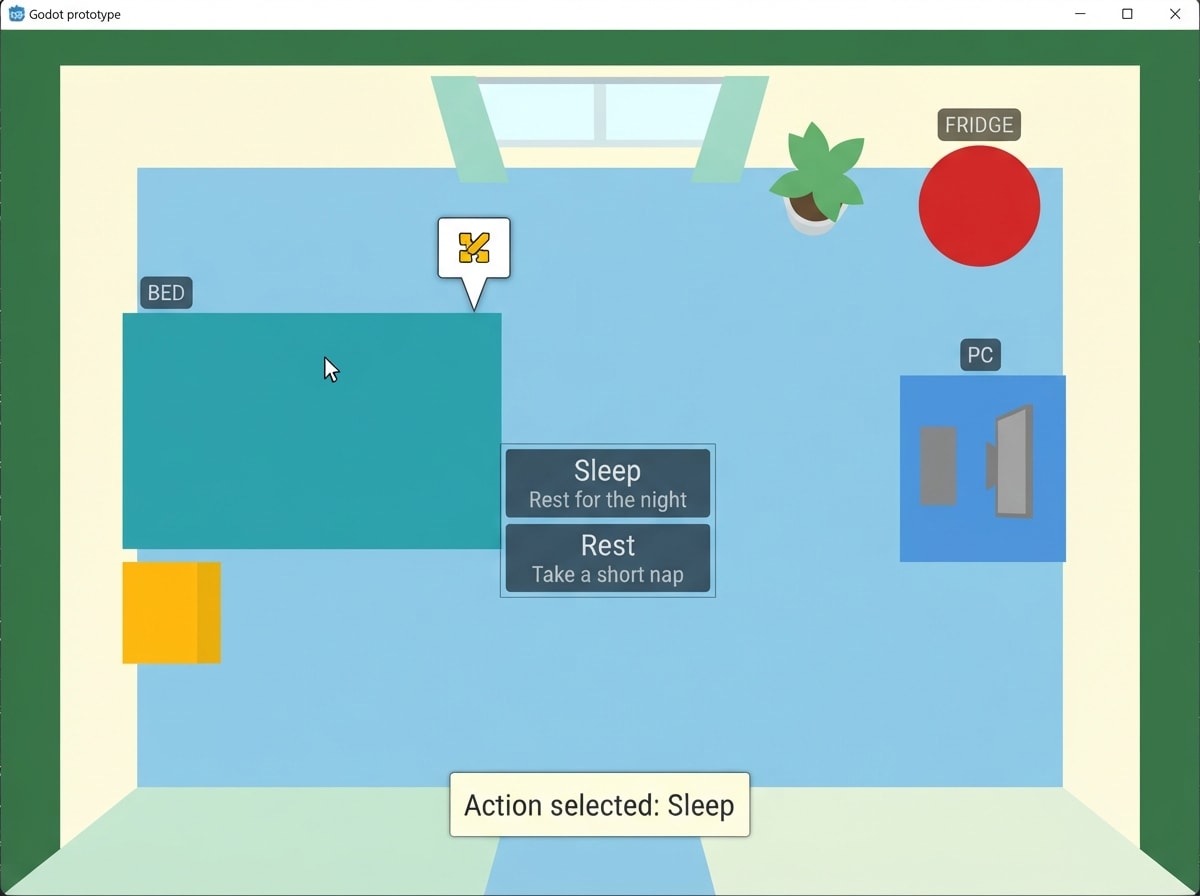
Made with Nano Banana 2 Lite · CC0 · 4 Oct 2026
Generated from: a scene from a small video game about: Day 1 prototype of a 2D adult life-simulation / virtual-pet game: a basic, reusable object-interaction system for the player's room. Godot 4 + GDScript only, beginner-friendly, simple, modular, readable, no plugins, placeholder visuals, absolutely no autoloads. GOAL (strict scope): the player can click an interactive object in the room, get a small speech-bubble-style interaction indicator near it, and open a simple action menu listing that object's actions. Actions have NO gameplay logic yet: clicking one only shows a temporary toast like "Action selected: Sleep". Do NOT create character stats, hunger, hygiene, health, energy, money, day/night, save/load, dialogue, AI, minigames, quests, shops, or any other system. FILES TO CREATE (exactly these, nothing else): 1. res://project.godot — minimal Godot 4 project: config_version=5, version 4.4, main scene res://res/Room/Room.tscn, 2D, NO autoloads. 2. res://res/Room/Room.tscn — Node2D with a floor (ColorRect/Camera2D optional), a CanvasLayer containing an instance of the interaction UI, and four instances of the interactive-object scene at different positions. 3. res://res/Interaction/InteractiveObject.tscn + res://res/Interaction/InteractiveObject.gd — the ONLY reusable object scene: Area2D with script_class InteractiveObject, mouse_entered/mouse_exited, an optional placeholder ColorRect sized to the object (exported), a small name label above it. Exports: display_name (String), interaction_actions (Dictionary, e.g. {"Sleep": "Sleep", "Rest": "Take a short nap"} — key = menu button label, value = small hint shown under it), and optional per-object UI offset (Vector2). Signals: object_clicked(object: Node2D), object_ended(object: Node2D). On mouse_entered -> set hovered, notify UI to show marker. On click -> toggle: signal object_clicked + ask UI to open menu for this object. 4. res://res/Interaction/RoomInteractionUI.tscn + RoomInteractionUI.gd — one CanvasLayer, script_class RoomInteractionUI, containing: (a) a reusable marker = a small Panel/Polygon2D speech-bubble + button, default hidden, positioned IN SCREEN SPACE near the hovered object's top (get_screen_position + safe margin), fades in/out via Tween; (b) a hidden VBoxContainer-based action menu, built dynamically: one Button per action from interaction_actions.keys(), each with the hint text under it (small Label) or as tooltip; (c) a toast Label at the bottom center that shows "Action selected: <action>" for about 2 seconds via a Tween. API for objects: show_marker_for(node2d), hide_marker(), open_menu_for(object: Node2D), close_menu(), show_toast(text). Signals: action_selected(action: String, source: Node2D), menu_closed(), marker_opened(). Marker is clickable (Control with mouse_filter STOP): while menu is closed -> opening it (mouse click) clicks the same behavior as clicking the object (open menu for the hovered object); while open -> clicking the marker or pressing Esc closes the menu. UI has ZERO knowledge of object types: it only receives an object node and its exported dictionaries. BEHAVIOR / TEST FLOW: - Hover the Bed -> a small bubble/marker fades in above/next to it. - Click the Bed (or the marker) -> the action menu appears near the object listing "Sleep" and "Rest" (each with a tiny hint line). - Click "Sleep" -> toast "Action selected: Sleep" appears at the bottom for ~2s, menu closes, marker stays until the mouse leaves. - Click the marker while the menu is open (or Esc) -> menu closes, marker stays. - Same pattern: Computer (Work, Use Computer, as an in-game screenshot in flat colour 2D shapes with a bright limited palette. Palette: sky blue #8ecae6, grass #3a7d44, player sunflower #ffb703, threat red #d62828, accent white #fdfcdc. Everything is original: never draw or resemble characters, places or logos from existing games, films or brands (no red-capped plumbers, no famous mascots), even when the idea names one. Keep the pictures honest: they promise what a small first version of this game, made in a game engine in a few days, can look like. Simple readable shapes, clear silhouettes, few flat materials, the in-game camera view. Never film stills, photoreal renders, AAA key art, detailed textures, cinematic lighting, or anything that looks like a big-studio game. No text, UI, HUD, logos or editor screens inside any image.
Creator
lll
Sign in to join the conversation.
Sign in to comment🌍CC0
Use, share, and remix the model freely with no restrictions and no attribution needed.