How to Make a 2D Game with AI in 2026
How to make a 2D game with AI in 2026. Browser tools, AI-native engines, and AI-assisted Unity or Godot workflows compared. Which one fits your game.
By Summer Team
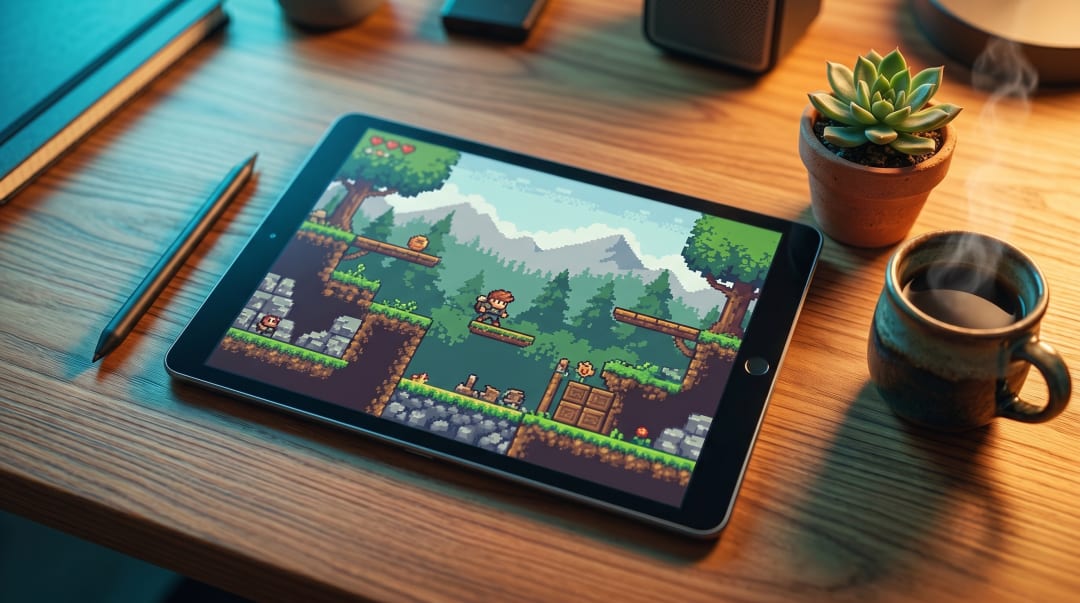
Building a 2D game used to mean weeks of tilemap setup, animation state machines, and physics tuning before anything looked like a game. With AI, you describe what you want and play it the same afternoon. The honest part: 2D is where AI tools are strongest right now. Browser generators handle small 2D games well, AI-native engines handle real production 2D, and AI-assisted Unity or Godot is overkill for most solo 2D devs but standard for studios. This guide compares the three so you can pick the one that matches the game in your head.
{/* IMAGE: Hero graphic showing a prompt on the left and a 2D platformer scene on the right. 1200x675, illustration. */}
Three workflows that actually work for 2D
There are three real ways to build a 2D game with AI in 2026. Each one targets a different goal.
| Approach | Best for | 2D output | Steam or mobile export | Editor access |
|---|---|---|---|---|
| Browser tools | Prototypes, jams, demos | HTML5 only, simple sprites | No | None or limited |
| AI-native engine | Real 2D games, fast iteration | Tilemaps, state machines, particles | Yes | Full Godot editor |
| AI-assisted Unity or Godot | Studios with engine experience | Anything the engine supports | Yes | Full engine |
The right pick depends on what you are trying to ship, not on which tool sounds the most impressive. If you have not picked a workflow yet, How to Make a Game with AI in 2026 walks through the same three approaches in more detail.
Browser tools
You type a prompt, the tool generates a playable HTML5 game in your browser. Rosebud, Star, and similar products live here. They are great at small 2D games because HTML5 is a 2D-first platform: simple sprites, basic physics, easy sharing through a link.
What works well: prototyping a mechanic, testing a pitch, posting a playable demo on social media, finishing a game jam in one weekend.
What breaks: anything you want to ship beyond the web. No Steam export, no mobile builds, no source code you can take elsewhere. Customization beyond the first prompt is awkward, and most tools regenerate rather than edit.
AI-native engines
An AI-native engine treats natural language as a real input to the editor, not a side window. Summer Engine is one example. You describe what you want and it builds inside your project: scenes, scripts, tilemaps, animations, all standard Godot files.
The difference from a browser tool is context. The engine knows your scene tree, your existing scripts, your assets. Saying "make the enemies patrol between the two flags" works because it can see the flags and the enemies. Saying "give the player a wall jump" works because it knows which node is the player.
The difference from AI-assisted Unity is the lack of a context-switch. You stay in the editor instead of bouncing between an AI window and your project. More on the category in What Is an AI Game Engine.
AI-assisted Unity or Godot
This is what most studios do today. Open Unity or Godot, use Copilot or Claude in a separate window for code, use Midjourney or Stable Diffusion for art, wire it all together by hand. Full control. No lock-in. Slow for solo 2D devs because the engine learning curve is still the bottleneck.
For a one-person 2D game, this approach is rarely the right call. For a studio with a senior engine programmer, it is the safest choice because the human stays in charge of every line.
What kind of 2D game are you making?
Different genres pull in different directions. Here is which workflow tends to fit each one.
Platformers
Platformers are the cleanest AI fit. Movement, jumps, gravity, collisions, enemies, collectibles, all well-defined patterns. Browser tools generate simple side-scrollers in seconds. AI-native engines produce a full Celeste-style or Mario-style project with tilemaps, coyote time, and animation state machines, then let you tune values in the inspector. Detailed walkthrough: How to Make a Platformer with AI.
Pick a browser tool if you want a 1-screen demo. Pick an AI-native engine if you want multiple levels, custom art, or Steam export.
Top-down RPGs and adventures
Top-down games need persistent state: inventory, save files, dialogue trees, quest flags, world progression. Browser tools start to break around the second hour of design because they cannot hold a complex world model. AI-native engines handle this well because the project is a real codebase with real save resources.
If your game is a Stardew Valley or Zelda style adventure, skip the browser tools.
Puzzle and casual
Match-3, sokoban, color-flood, hex puzzles. These are the genre browser tools were born for. Small board, clear rules, instant feedback. You can ship a complete free-to-play web puzzle from a browser tool in a weekend.
If you want to monetize through ads or charge on mobile app stores, you need an AI-native engine or AI-assisted workflow because the export needs to be a native build.
Deckbuilders, roguelikes, strategy
Slay the Spire style deckbuilders, Vampire Survivors style autobattlers, FTL style roguelites. These genres love AI because they are heavy on data and light on bespoke art. Card effects, run modifiers, procedural maps, all easy to describe in plain English.
AI-native engines are the right fit here. The systems get complex fast, and you want a real codebase to iterate on. Browser tools can prototype the core loop but tend to fall over once you have more than 30 or 40 unique items.
Visual novels and narrative
Dialogue-heavy games are a strong fit for any AI tool because language models are made of dialogue. Branching choices, character portraits, scene transitions, all describable.
For a short VN released on itch.io or the web, a browser tool is fine. For something you want to put on Steam with voice acting, custom UI, and save slots, an AI-native engine wins.
Pixel art and assets
The hard part of a 2D game is rarely the code. It is the art. AI helps unevenly here.
What works today: single-frame pixel sprites, tilemap textures, UI icons, backgrounds, concept art. Image models like grok-imagine, Midjourney, and Stable Diffusion produce usable single-frame results in seconds.
What still breaks: animation frames that stay consistent across walk cycles, tilesheets where every tile lines up to the grid, and character art that looks like the same character from frame to frame. Most pipelines today generate a base sprite, then animate it by hand or with a sprite animator that takes a base image and produces frames.
A practical approach for a 2D project:
- Generate a tileset with an image model.
- Generate character base sprites at the size your game needs.
- Animate by hand or with a dedicated sprite animator tool.
- Generate UI elements and icons separately, in the same style.
- Pass everything through a small art pass for consistency.
An AI-native engine helps because asset generation can happen in-context. You can ask the engine to generate a sprite and import it into the scene at the right node, instead of doing the round-trip through a separate art tool.
How to start
A practical 2D walkthrough that works in any AI-native engine.
- Pick a template that matches the genre. 2D platformer, top-down adventure, deckbuilder, puzzle. Starting from a template gets you a working game in one click.
- Describe your game in one paragraph. Genre, art style, core mechanic, win condition. Example: "A pixel art roguelite where the player runs through procedural dungeons, picks one of three cards after each room, and fights a boss every fifth floor."
- Play it. Hit run as soon as the AI finishes. Notice what is broken or boring.
- Iterate through small prompts. "Make the dash feel snappier." "Add a second enemy type that shoots arrows." "Replace the placeholder sprites with this style."
- Switch to the editor for fine tuning. Paint tiles by hand. Tune jump height in the inspector. Write a custom script for one weird mechanic the AI got wrong.
- Export. Desktop builds for Steam and itch.io. The build pipeline is the same as Godot's.
If you want to skip coding entirely, Make a Game Without Coding covers the no-code path in more depth.
When browser tools are actually fine
Browser AI tools get unfairly dismissed. They are the right answer for several situations.
Game jams. You have 48 hours, one mechanic, and you want to share a link at the end. Browser tools win.
Pitching an idea. You want to show a publisher or a friend what your game feels like. A 90-second prompt and a browser link is the fastest pitch deck ever made.
Teaching. You are running a class and want students to feel what game design is. Browser tools remove every setup step.
Throwaway prototypes. You have an idea you want to validate before committing. Generate, play, decide, move on.
If your project lives and dies on the web, browser tools are not a compromise. They are the correct tool.
When you need a real engine
The opposite is also true. The moment any of these are on your list, you have outgrown browser tools:
- Selling on Steam, the App Store, or Google Play.
- Shipping a project that you will keep updating for months or years.
- Custom pixel art or animations imported from your own files.
- Complex systems: save files, multiplayer, modding, leaderboards, achievements.
- Source control with a team.
- Custom shaders, particle effects, or post-processing.
For these, you need an AI-native engine or an AI-assisted traditional engine. The honest case for AI-native: it gives you the same output as a hand-built Godot project, but the iteration loop is conversational, which makes solo 2D dev wildly faster. The case for AI-assisted Unity or Godot: you already know your engine, and you want AI to speed up the parts you already do.
How to Make a Game with AI in 2026 compares the two real-engine paths in more detail.
Closing
If you have a 2D game in your head, the cheapest experiment is a 30-minute test in a browser tool to see whether the core loop is fun. If it is, move to an AI-native engine the same day and start the real version. Summer Engine is free, ships standard Godot projects, and exports Windows and macOS builds for Steam. Open it, describe your game, and play it before dinner.
Frequently asked questions
- What is the easiest way to make a 2D game with AI?
A browser tool like Rosebud is the fastest start. Type a prompt and play in under a minute. If you want the same speed but a real project you can ship to Steam, an AI-native engine is the next step up. Both accept plain English. Neither requires you to write code.
- Can I make a 2D platformer with AI?
Yes. Platformers are one of the genres AI handles best because the rules are well understood. Browser tools generate simple side-scrollers from a prompt. AI-native engines build a full platformer with tilemaps, coyote time, double jumps, and enemy patrols, then let you tune values in the editor. The full walkthrough is in How to Make a Platformer with AI.
- Can I make a top-down RPG with AI?
Yes. Top-down RPGs are a strong fit for AI-native engines because the systems are modular. Movement, combat, dialogue, inventory, and quests can each be added through conversation. Browser tools struggle with anything that needs persistent save data or large maps.
- Can AI generate pixel art for my 2D game?
AI handles single-frame pixel art well. Tilesheets and consistent character animations are still rough. Most pipelines today generate a base sprite with an image model, then animate it with a separate tool or hand-pixel the frames for consistency. Style consistency across an entire game still needs a human eye.
- Is there a free AI tool for 2D games?
Yes. Summer Engine is free, including 2D, multiplayer, and Steam export. Rosebud has a free tier for browser games. Godot plus a free coding assistant like Claude or Copilot Free is another zero-cost path. The free options are enough to ship a real 2D game.
- Can I sell a 2D game made with AI on Steam?
Yes, if your tool produces a real desktop build. Browser-only games cannot ship to Steam directly. AI-native engines and AI-assisted Unity, Unreal, or Godot all export native binaries. The full Steam process is in How to Publish a Game on Steam.
- Are browser AI tools good enough for a real 2D game?
For prototypes, jams, and sharing ideas, yes. For anything you want to update over months, sell on Steam, or release on mobile, no. Browser tools regenerate rather than iterate, and the output is locked to HTML5. The moment you need source control, custom assets, or platform export, you have outgrown them.
- Can I make a deckbuilder or roguelike with AI?
Yes, and they are a great fit. Card systems, run modifiers, and procedural levels are easy to describe in plain English. AI-native engines can scaffold the core loop in minutes, then you iterate on card effects and balance through conversation. Browser tools can build small versions but tend to break once you add more than a handful of cards or rules.
Keep reading
All posts- Jun 6, 2026 · 8 min readHow to Make a 2D Game with AI (Step by Step, 2026)A beginner step-by-step guide to building a real 2D game with AI in 2026. Pick a template, prompt the AI, playtest, fix the boring parts, and export to Steam or itch.io.
- Jun 6, 2026 · 9 min readHow to Make a Pixel Art Game in 2026 (Step by Step)A practical step by step guide to making a pixel art game in 2026. How to pick a resolution and palette, build the art, wire up movement and collision, and ship, with the pixel-specific traps that ruin the look.

- Jun 6, 2026 · 7 min readAI Enemy Generator for Games: What It Is and How to Use One (2026)What an AI enemy generator actually does, the three layers it should cover (sprite, stats, behavior), and how to build working enemies for your game by describing them in plain language.
