How to Make a Game Without Coding in 2026
You can make a real game without writing code. Here are three approaches that actually work in 2026, what you can build with each, and a step-by-step walkthrough.
By Summer Team
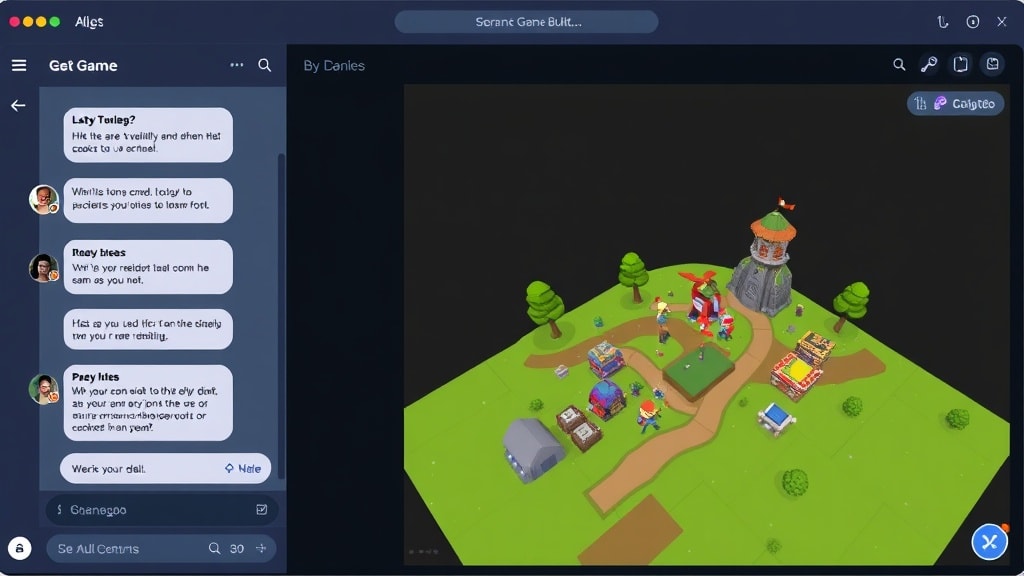
You do not need to learn to code to make a game. Not anymore. In 2026, there are multiple real ways to create a game without coding, and some of them produce games you can actually publish on Steam.
This is not a "learn to code" article in disguise. If you want to make a game without writing a single line of code, you can. Here is how.
The Three No-Code Approaches
Not all no-code game tools work the same way. There are three distinct approaches, each with different strengths.
1. Talk to AI (Summer Engine)
You describe what you want in plain English. The AI builds it inside a real game engine. You say "add a player character that can double jump" and it creates the node, sets up the physics, writes the script, and connects everything.
This is the most natural approach for complete beginners because there is nothing to learn upfront. You talk, the engine builds. If something is wrong, you say what to change. It works like having a game developer sitting next to you who does exactly what you ask.
Summer Engine is a full desktop game engine, so the games you build export to Steam as Windows and Mac builds, and iOS and Android builds need each platform's toolchain and signing. You are not locked into a browser tab.
For a side-by-side breakdown of every AI workflow available in 2026, including browser tools and AI-assisted Unity or Unreal, read How to Make a Game with AI in 2026.
2. Visual Logic (GDevelop, Construct 3)
These tools replace code with drag-and-drop event sheets. Instead of writing if player.is_on_floor(): velocity.y = jump_force, you create a visual rule: "When player is on platform and Space is pressed, set vertical speed to -500."
You still need to think logically. You are still programming, just without syntax. This approach works well if you enjoy puzzles and systems thinking. The learning curve is real but much gentler than traditional code.
GDevelop is free and open source. Construct 3 is browser-based with a subscription. Both can export to desktop and mobile.
3. Prompt-and-Play (Rosebud AI, Star)
Type a description, get a playable browser game in seconds. These tools are genuinely impressive for quick experiments. "Make a space shooter where enemies come in waves" gives you something playable almost instantly.
The trade-off is control and scope. The output is a web page, not a game project. You cannot export to Steam. You cannot open the project in another engine. Customization is limited to what the AI generates in one pass. These tools are great for prototyping ideas and sharing quick demos, but they have a ceiling.
What You Can Actually Build Without Code
Let's be specific about what is possible.
A platformer with 10+ levels. Full player movement, enemies with patrol patterns, collectibles, a score system, level transitions, and a title screen. This is completely doable in any of the three approaches, though only the first two will give you something you can publish.
A farming sim with inventory. Plant crops, water them, watch them grow on a timer, harvest and sell at a shop. Inventory management, a day/night cycle, and NPC shopkeepers. Tools like Summer Engine handle this well because you can describe each system in conversation and build them one at a time.
An RPG with dialogue trees. A top-down adventure with towns, NPCs who say different things based on your choices, a simple combat system, and quest tracking. This is more ambitious but absolutely possible. You will spend a few weekends on it.
A puzzle game. Grid-based logic puzzles, match-three mechanics, physics-based puzzles. These tend to be the easiest to build without code because the rules are clear and discrete.
A visual novel. Branching stories with character portraits, backgrounds, music, and multiple endings. This is one of the most popular genres for first-time creators, and no-code tools handle it naturally.
Step-by-Step: From Zero to Playable in Summer Engine
Here is what making a game without coding actually looks like. This is a real workflow for building a simple platformer.
Step 1: Start a new project. Open Summer Engine and create a new 2D project. You get an empty scene and a chat panel.
Step 2: Describe your player. "Create a player character. It should be a small blue square that can run left and right with arrow keys and jump with spacebar. Add gravity so it falls." The engine creates a CharacterBody2D node with a sprite, collision shape, and movement script. The character immediately works in the preview.
Step 3: Build a level. "Add a ground platform that stretches across the bottom of the screen. Add three floating platforms at different heights." Platforms appear in the scene. You can drag them around in the editor if you want to adjust positions, or just tell the AI to move them.
Step 4: Add danger. "Add spikes on the ground between the second and third platform. If the player touches them, restart the level." The AI places the hazard, creates the collision detection, and handles the restart logic.
Step 5: Add collectibles. "Put five gold coins floating above the platforms. When the player collects all five, show a 'Level Complete' message." Coins appear, the collection counter works, and the win condition triggers.
Step 6: Polish. "Add a simple particle effect when coins are collected. Make the background a dark blue gradient. Add a jump sound effect." These are the kind of tweaks that make a game feel real, and describing them is faster than configuring them manually.
That entire process takes about 30 minutes for your first game. Your second game will be faster because you will know what to ask for.
What No-Code Cannot Do (Yet)
Honesty matters here. No-code game development has real limits in 2026.
Competitive multiplayer with netcode. Building an online multiplayer game with server authoritative physics, lag compensation, and matchmaking is still a coding task. Local multiplayer (two players on one keyboard) is totally doable without code. Online multiplayer is not, at least not at production quality.
AAA graphics and custom shaders. If you want raytraced lighting, custom post-processing effects, or hand-written shader code, you need to write code. No-code tools give you access to built-in visual effects, which are good, but not custom.
Highly optimized performance. If you are building a game with thousands of entities on screen and need to squeeze out every frame, you will eventually need to optimize at the code level.
Novel game mechanics. If your game idea requires a truly unique system that no existing tool has anticipated, you may hit the edges of what no-code can describe. Most game mechanics are variations on well-understood patterns, but genuinely new ones sometimes need code.
For the vast majority of games that people actually want to make, these limits do not matter. You are probably not building Elden Ring. You are building something fun, creative, and yours.
When You Might Want to Learn Code
This is not a pitch for learning to code. But there is a natural progression that some people discover.
You might find yourself wanting to tweak a specific physics value that the AI set. Or you want an enemy to follow a path that is hard to describe in words. Or you are curious about how the jump script actually works.
That curiosity is the best reason to learn code. Not because you have to, but because you want to understand what is happening under the hood.
Summer Engine is built for this transition. You can create your entire game through conversation, then open any script the AI wrote and read it. You can modify one line and see what changes. You can learn by tinkering with a working game instead of staring at a blank editor wondering where to start.
Some people make games for years without writing a line of code. Others pick up scripting within a month. Both paths are valid.
Start Building
The best way to find out if you can make a game without coding is to try it.
Download Summer Engine and start a conversation with the AI. Describe the simplest version of the game in your head. You will have something playable in under an hour.
If you want a head start, check out the game templates. Pick one close to your idea, open it, and start modifying it through conversation. "Take this platformer template and make it a space theme with lower gravity" is a perfectly good way to start.
You do not need permission to be a game developer. You do not need a computer science degree. You need an idea, some free time, and a tool that does not make you learn syntax before you can see your idea on screen.
That tool exists now. Go make something.
Keep reading
All posts- Jun 6, 2026 · 8 min readHow to Make a Game Without Coding (Step by Step, 2026)A real, no-code walkthrough for making a game in 2026. The exact words to type, three small games you can build from scratch, and an honest look at what works without writing code.

- Mar 28, 2026 · 8 min readHow to Make a Game in 2026 (Complete Beginner Guide)Learn how to make a game from scratch with zero experience. A step-by-step beginner guide covering tools, first projects, and publishing your game in 2026.
- Jun 6, 2026 · 8 min readAI Tools for Game Design in 2026 (A Practical Guide by Job)A practical guide to AI tools for game design in 2026, organized by the design job you actually need done: ideation, mechanics, level layout, balancing, narrative, and art direction. Honest about what works, what does not, and what is free.