Make a Platformer Game with AI: 5-Minute Tutorial
Build a playable Mario-style platformer in under 5 minutes using AI. No coding needed. Follow along from first prompt to exported game you can share.
By Summer Team

Platformers are the most intuitive game genre. Run, jump, reach the goal. Everyone has played one.
Building one in a traditional engine takes days: tilemaps, player movement code, physics tuning, level design. With AI, you describe what you want and play it in minutes.
This tutorial walks through the full process, from first prompt to a game you can export.
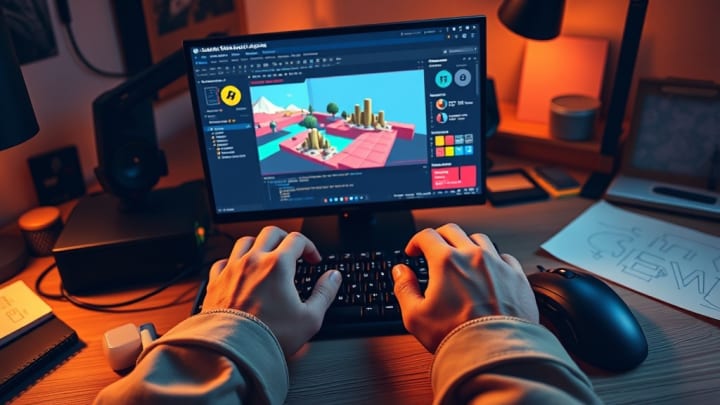
{/* IMAGE: Side-by-side showing a text prompt on the left and the resulting playable platformer on the right. 1200x630, screenshot */}
What You Will Build
By the end of this tutorial, you will have a 2D platformer with:
- Player character with run, jump, and double-jump
- Static, moving, and crumbling platforms
- Collectible coins and power-ups
- Enemies with patrol behavior
- Multiple levels with increasing difficulty
- Start screen and game over screen
- Sound effects
This is a real Godot engine project. You own it, you can edit every file, and you can export it to Steam and desktop.
Step 1: Pick a Platformer Template
Open Summer Engine and create a new project. Select the Platformer category from the template browser.
Available platformer templates:
| Template | Style | Example |
|---|---|---|
| 2D Platformer | Classic side-scroller | Mario, Sonic |
| Precision Platformer | Tight controls, hard jumps | Celeste, Super Meat Boy |
| Puzzle Platformer | Platforming + puzzle mechanics | Limbo, Inside |
| Metroidvania | Interconnected world, ability gating | Hollow Knight, Ori |
| Endless Runner | Auto-running, dodge obstacles | Temple Run, Canabalt |
| 3D Platformer | Third-person 3D | Crash Bandicoot, A Hat in Time |
For this tutorial, pick 2D Platformer.
{/* IMAGE: Screenshot of Summer Engine's template browser with the Platformer category expanded, showing the template options. 1200x675, screenshot */}
Step 2: Describe Your Game to the AI
The AI builds what you describe, not a generic default. Your prompt matters. Here are three levels of detail, all valid starting points:
Basic prompt (good for your first try)
Make a 2D platformer with a knight character. The knight can run, jump, and attack enemies with a sword. Include coins to collect and 3 levels that get harder.
Detailed prompt (more control over the result)
Create a side-scrolling platformer set in a haunted forest. The player is a small fox that can run, wall-jump, and dash. Enemies are ghosts that float in patrol patterns. Collectibles are glowing orbs. Pixel art style, dark and moody. Include a double-jump ability that unlocks after level 2.
Precise prompt (for experienced game devs)
Build a precision platformer with tight controls. Run speed 200, jump height 400, dash length 150 with 0.5s cooldown. Gravity scale 2.5 for fast falls. Include coyote time (0.1s grace after leaving a platform edge). Tilemap with ground, spikes (instant death), and bounce pads. No enemies, pure platforming. Death counter and speedrun timer.
What the AI generates from your prompt
After you send your description, the AI creates the full project structure:
- Scene tree with player, camera, tilemap, and level nodes
- Player controller script with the movement mechanics you described
- Enemy nodes with patrol behavior (if you requested enemies)
- Collectible items with pickup logic and score tracking
- Level transitions between your levels
- UI for score, health, and menus
{/* IMAGE: Screenshot of the generated scene tree in the editor, showing the node hierarchy (Player, TileMap, Enemies, Collectibles, UI). 800x600, screenshot */}
Step 3: Playtest and Iterate
Hit play. Your platformer runs immediately in the editor.
Now refine it through conversation. Each message modifies the existing project. You are not regenerating from scratch.
Tuning movement feel:
"Make the jump feel floatier. Reduce gravity and increase air control."
Adding mechanics:
"Add a wall-slide mechanic so the player slows down when touching walls."
Adjusting difficulty:
"The second level is too easy. Add more gaps and two more enemies."
Visual polish:
"Change the background to a sunset gradient. Add parallax scrolling."
Game systems:
"Add a checkpoint system. The player should respawn at the last checkpoint, not the start."
The AI edits scripts, adjusts physics values, adds nodes, and reconfigures scenes. Your project accumulates changes like any normal development workflow.
{/* IMAGE: Screenshot showing the AI chat panel with an iteration request and the resulting change visible in the game viewport. 1200x675, screenshot */}
Step 4: Switch to the Editor for Fine Control
At any point, you can stop chatting and work directly in the Godot editor. Everything the AI built is standard Godot: scenes, scripts, resources. Nothing is locked or obfuscated.
What you can do manually:
- Paint level tiles in the tilemap editor (drag and drop tile placement)
- Tweak physics values in the inspector panel (gravity, speed, jump height as export variables)
- Import custom sprites by dragging image files into the project
- Write GDScript for custom behavior the AI cannot express
- Animate using the built-in animation timeline
This is the key difference between an AI game maker and an AI game engine. A game maker gives you a result. An engine gives you a project you can open, inspect, and modify at every level.
Step 5: Export Your Game
When the platformer is ready, export it like any Godot project:
Desktop (Steam, itch.io):
- File > Export > Windows / macOS
- Configure project name and icon
- Build the executable
- Upload to Steam, itch.io, or distribute directly
Web: Web export is not available in Summer yet, so a browser build needs a tool with web export.
Mobile: Android and iOS builds need that platform's toolchain and signing (the Android SDK and a keystore, or a Mac with Xcode for iOS) and a pass on touch input.
The export works because Summer Engine is compatible with Godot 4. Standard Godot export process, standard output.
{/* IMAGE: Screenshot of the Export dialog showing platform options (Windows, macOS). 800x500, screenshot */}
Why This Is Not the Same as Browser AI Game Makers
Rosebud and Star let you type "make a platformer" and get a browser game. It works, and it is fun for a quick demo. But the output is limited:
| Capability | Browser AI tools | Summer Engine |
|---|---|---|
| Edit the tilemap | No | Yes, full tilemap editor |
| Tweak jump physics | No | Yes, adjust any value |
| Add wall-jump or dash | Regenerate everything | Iterate on existing project |
| Export to Steam | No | Yes |
| Import custom pixel art | No | Yes |
| Build 10+ levels | Usually no | Yes |
| Access the source code | No | Full GDScript access |
The output of Summer Engine is the same kind of project a professional indie developer would build in Godot. You get there through conversation instead of weeks of manual work.
Five Platformer Prompts to Try
Celeste-style precision platformer
Create a precision platformer with tight controls, a dash mechanic, and difficult-but-fair level design. Pixel art style. Include a death counter. The player should feel fast and responsive.
Hollow Knight-style metroidvania
Build a 2D metroidvania with a knight character. Interconnected rooms, ability gating (unlock wall jump to access new areas), melee combat, and boss fights. Dark, atmospheric art style.
Super Meat Boy-style challenge platformer
Create an extremely difficult precision platformer. Small levels, instant death from any hazard, instant respawn. Saw blades, spikes, moving platforms, and a timer. Very fast, responsive character.
Classic Mario-style platformer
Build a side-scrolling platformer with a character that runs, jumps, and stomps on enemies. Coins, question blocks with power-ups, pipes, and a flagpole at the end of each level. Bright, colorful art style.
Endless runner
Create a side-scrolling endless runner where the player automatically moves right. Jump and double-jump to avoid obstacles. Speed increases over time. High score system and procedurally generated obstacles.
{/* IMAGE: Grid of 4 screenshots showing different platformer styles built with Summer Engine: pixel art precision platformer, colorful Mario-style, dark metroidvania, endless runner. 1200x800, screenshot grid */}
Get Started
Summer Engine is free to download. No coding required. Pick a platformer template, describe what you want, and start playing in minutes.
Download Summer Engine | Platformer Templates
Frequently Asked Questions
Can I make a platformer without coding?
Yes. You describe what you want in conversation, and the AI builds the project. You can optionally open the code and edit it, but you do not have to.
How long does it take?
A playable prototype takes minutes. A polished game with multiple levels, custom art, and refined mechanics takes hours instead of the weeks a traditional engine would require.
Can I publish my platformer on Steam?
Yes. Summer Engine produces standard Godot projects with full Steam export support. Your game is a native desktop application, not a browser demo.
Is this the same as making a game in Godot?
The output is identical. Standard Godot scenes, scripts, and resources. Summer Engine adds AI conversation on top of Godot 4, so you can switch between AI and manual editing at any time.
What if I want features the AI cannot build?
Switch to the editor and write GDScript. AI and manual editing work together. Use conversation for speed, use the editor for precision.
Can I make a 3D platformer?
Yes. Choose the 3D Platformer template for a third-person camera setup with 3D environments. The same AI workflow applies.
Keep reading
All posts- Mar 28, 2026 · 8 min readHow to Make a Game in 2026 (Complete Beginner Guide)Learn how to make a game from scratch with zero experience. A step-by-step beginner guide covering tools, first projects, and publishing your game in 2026.
- Jun 6, 2026 · 9 min readHow to Make a Game for a Game Jam (Step by Step)A practical step-by-step guide to making a game for a game jam: scope, theme, timeboxing the weekend, building fast with AI, and submitting a real file before the deadline.

- Jun 6, 2026 · 8 min readHow to Make a Game for Beginners (Build Your First One Today)A hands-on, step-by-step guide for total beginners. Pick a tiny first game, build it one piece at a time with AI, test it after every step, and have something playable by tonight.
