What Is an AI Game Engine? (2026 Guide and Comparison)
An AI game engine builds real 2D and 3D games through conversation, not browser toys. How AI-native engines work, how they compare, and which to choose in 2026.
By Summer Team
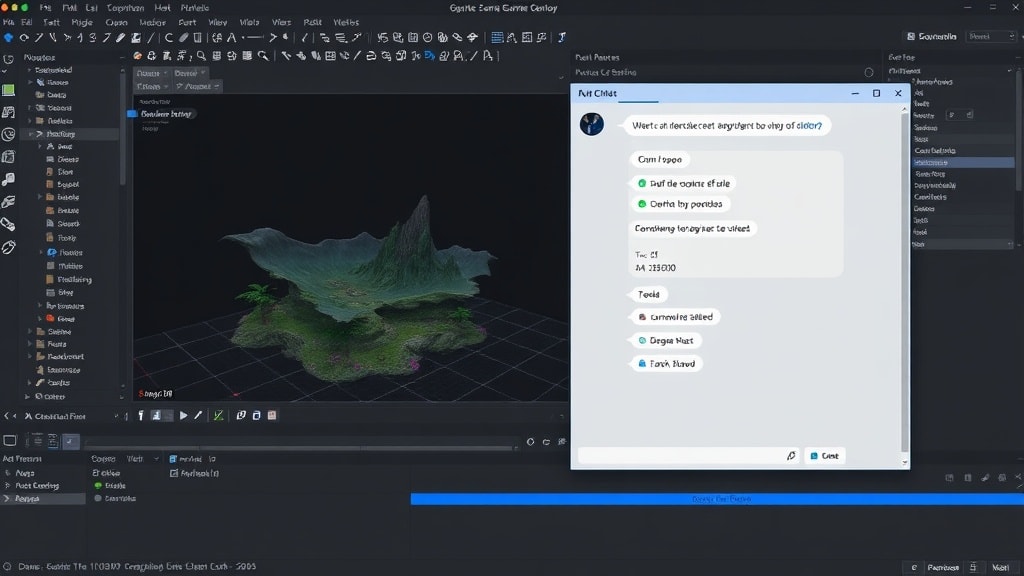
There are dozens of AI game makers now. You type a prompt, get a browser game, share a link. They are impressive demos. They are also not game engines.
A game engine lets you build something with scenes, assets, physics, scripting, and export to Steam, desktop, and mobile. A browser-based AI tool generates a web page that runs a game. That distinction matters if you want to ship something real.
Summer Engine is the first tool that is both AI-native and a real game engine. This post explains what that means in concrete terms.
{/* IMAGE: Hero diagram showing the spectrum from "AI Game Makers" (browser output) on the left to "Traditional Engines" (manual workflow) on the right, with Summer Engine in the center intersection. 1200x500px, diagram */}
What "AI-Native" Actually Means
The term gets thrown around loosely, so here is what it means in practice.
AI-assisted means a traditional engine with AI bolted on. Unity's AI features announced at GDC 2026, Unreal's Copilot-style plugins, Godot's community-built AI assistants. These are all AI-assisted. You still work in the traditional editor. The AI helps with specific tasks (write this script, generate this texture) but does not understand the full context of your project.
AI-native means the engine was designed around AI from the start. The AI is the primary interface, not a sidebar.
Here is what that looks like concretely:
The AI understands your scene tree
When you say "add a player character with a camera that follows it," a traditional AI assistant generates a code snippet for you to paste. Summer Engine's AI directly creates the nodes, sets up the camera, configures the follow behavior, and wires up the input system. It manipulates the engine the same way you would through the editor, but through conversation.
Context is continuous, not per-prompt
The AI knows what you built five minutes ago. Say "make the enemies faster" and it knows which nodes are enemies, what their current speed is, and which property to change. No need to re-explain your project structure every time.
Asset creation is built in
Describe a character, get a 3D model with textures and materials that is already an engine asset, not a downloaded file you need to import and configure. The pipeline from "I want a robot enemy" to "there is a robot enemy in my scene" is one conversation.
{/* IMAGE: Side-by-side comparison showing "AI-Assisted Workflow" (user writes prompt, gets code snippet, pastes into editor, debugs, repeats) vs "AI-Native Workflow" (user describes intent, engine builds it, user refines through conversation). 1200x600px, diagram */}
What Browser-Based AI Game Makers Actually Produce
Tools like Rosebud AI, Star, and SEELE AI are genuinely useful for quick prototyping. You describe a game, get something playable in seconds. But they share a fundamental limitation: the output is a web page, not a game project.
Here is what that means in practice:
- No Steam export. The number one distribution platform for PC games. Browser games cannot be listed on Steam.
- No real 3D. Most are 2D-only or pseudo-3D.
- No engine access. There is no scene tree, no node inspector, no asset pipeline. You get output you cannot meaningfully edit.
- No professional iteration. You cannot bring in custom assets, fine-tune physics parameters, or build complex interconnected game systems.
- No console or mobile. Browser games stay in the browser.
These are not failures of execution. They are architectural choices. Browser tools optimize for speed-to-playable. Game engines optimize for depth-of-control. Both are valid. But if your goal is to ship a game on Steam, you need an engine.
{/* IMAGE: Visual showing what you can and cannot do with browser AI tools vs. Summer Engine. Two columns: left column shows browser tool output (simple web game in an iframe), right column shows Summer Engine output (full editor with scene tree, exported Steam page). 1200x600px, screenshot composite */}
What Summer Engine Actually Does
Summer Engine is a professional game engine with AI built into the core. Here is what that means feature by feature.
Chat-to-game workflow
Describe what you want in natural language. The engine creates scenes, places objects, sets up cameras, configures lighting, and generates game logic. Not as a one-shot prompt where you hope for the best, but as an ongoing conversation where you refine and iterate.
Example: "Make a 3D platformer with a double jump" produces a playable scene with a character controller, platforms, camera, and working double jump. Then you say "add coins the player can collect" and it extends what already exists.
70+ game templates
Start from a template that matches your vision: platformer, RPG, horror, racing, simulation, strategy, and more. Each template includes pre-configured scenes, game systems, and reference context so the AI understands the kind of game you are building.
Templates are not just starting points. They are context. When you pick "top-down RPG," the AI knows what an inventory system looks like, how dialogue trees work, and what combat options make sense.
Real asset pipeline
Generate 3D models, sprites, and animations through conversation. The AI creates actual engine assets (meshes, textures, materials), not placeholder images you need to manually import.
Full engine when you need it
The visual editor is always available. Switch between AI conversation and manual editing at any point. Adjust a physics parameter by hand, tweak a shader in the inspector, or write custom code when you want precise control. The AI does not replace the engine. It makes it faster to use.
Export real desktop builds
Build Windows and macOS games for Steam and itch.io. Android and iOS builds need that platform's toolchain and signing (the Android SDK and a keystore, or a Mac with Xcode for iOS) and a pass on touch input. Web export is not available in Summer yet.
Compatible with Godot 4
Your existing Godot projects, plugins, GDScript, and tutorials work out of the box. Summer Engine extends Godot rather than replacing it.
{/* IMAGE: Screenshot of the Summer Engine editor showing the chat interface alongside the visual scene editor, with a 3D game scene visible. 1200x700px, screenshot */}
Who This Is For
Non-coders who want to make real games. Not browser toys. Real games with 3D graphics, physics, multiple levels, and Steam pages. If you have played games your whole life and want to create one, but GDScript or C# feels like a wall, the chat interface removes that wall while the full engine stays underneath.
Developers who learned in Roblox. You understand game design. Now you want to ship something on Steam with your own art and your own rules. Summer Engine gives you professional engine capabilities with an accessible interface.
Indie developers who want speed. You can code. You have shipped games. But you spend hours on boilerplate: setting up cameras, configuring UI, writing save systems. Describe what you need, let the AI build the scaffolding, then refine in the editor.
Game jammers. 48 hours. One idea. Go from concept to playable in minutes instead of hours.
How AI Game Engines Compare in 2026
Deeper comparisons per tool: Summer vs Rosebud, Summer vs SEELE, Summer vs GDevelop, Summer vs Unity, Summer vs Unreal.
| Summer Engine | Rosebud AI | SEELE AI | GDevelop | Unity + AI | |
|---|---|---|---|---|---|
| AI-native | Yes | Yes | Yes | No (AI add-on) | No (AI add-on) |
| Real engine | Yes | No (web output) | No (web output) | Yes | Yes |
| 3D support | Yes | Limited | Limited | Limited | Yes |
| Steam export | Yes | No | No | Yes (with effort) | Yes |
| Desktop app | Yes | No | No | Yes | Yes |
| No-code option | Yes (AI chat) | Yes (AI chat) | Yes (AI chat) | Yes (visual) | No |
| Templates | 70+ | Limited | Limited | 100+ | Many |
| Price | Free tier | Free tier | Free tier | Free tier | Free (Personal) |
If Rosebud's browser limits are the reason you are looking around, the full breakdown is in 7 Rosebud alternatives to ship to Steam and desktop. For the broader 2026 landscape of AI-assisted tools, see how to make a game with AI.
Why This Category Matters
"AI game engine" did not exist as a product category a year ago. There were game engines (Godot, Unity, Unreal) and there were AI game makers (Rosebud, Star). Separate tools for separate audiences.
The gap between them is where most aspiring game developers get stuck:
- AI makers are fast but limited. You hit a ceiling quickly.
- Traditional engines are powerful but demand months of learning before you can ship anything.
Summer Engine sits in that gap. It gives you the power of a professional engine with an AI interface that lets you start building immediately. As you learn more, you use the AI less and the editor more. Or you keep using the AI. Both paths ship the same quality of game.
We think this intersection, AI as the primary interface to a real engine, is where game development is heading. Not AI replacing engines, but AI making engines accessible to everyone who has a game idea and the persistence to build it.
{/* IMAGE: Diagram showing the "gap" - a spectrum with "Easy but limited" (AI game makers) on one end and "Powerful but steep learning curve" (traditional engines) on the other, with Summer Engine bridging the middle. 1200x400px, diagram */}
Frequently Asked Questions
What is an AI game engine?
An AI game engine is a full game engine where AI is the primary interface. You describe the game you want in natural language and the engine creates scenes, configures physics, writes game logic, generates assets, and wires everything together. Unlike an AI code copilot, an AI game engine actually operates the editor, not just the code file. Unlike a browser AI game maker, it produces a real engine project you can export to Steam and desktop.
How is an AI game engine different from AI coding tools like Copilot or Cursor?
Copilot and Cursor suggest code inside a text editor. You still have to know Unity, Unreal, or Godot well enough to place nodes, build scenes, tune physics, and set up animation trees by hand. An AI game engine does those operations for you. It understands your scene graph, creates and edits nodes, places assets, and composes game systems through conversation. Code assistance is one part of the interface, not the whole thing.
Can an AI game engine replace Unity or Unreal?
For many indie and solo projects, yes. For AAA studios with existing pipelines, not yet. The tradeoff: AI-native engines remove the months-long learning curve, which matters most for developers who have not yet shipped a game. Studios already deep in Unity or Unreal pay a switching cost. Most Summer Engine users today are solo devs, small teams, and former Roblox or browser-AI creators who want to ship to Steam.
Which AI game engine should I choose in 2026?
Ask three questions. First, do you need to export to Steam or desktop? If yes, avoid browser-only tools like Rosebud and SEELE. Second, do you want 3D? If yes, avoid 2D-only tools. Third, do you want to keep working in the engine later as you learn more? If yes, pick an AI-native engine with a real editor, not a web tool that locks you out of the project file.
Is Summer Engine really a full game engine?
Yes. Summer Engine is compatible with Godot 4, ships as a desktop app, has a visual editor, exports Windows and macOS builds for Steam, and produces project files you can open and edit by hand. The AI runs on top of that engine, not instead of it.
Get Started
Summer Engine is free to download. You do not need to know how to code. Describe a game, watch it come to life, and ship it.
Download Summer Engine | Browse Templates | See What People Are Building
Keep reading
All posts- Jun 6, 2026 · 8 min readThe Best AI Game Engine in 2026 (Picked by What You Ship)The best AI game engine depends on what you are building. Eight tools ranked by output, with the free-vs-paid line and the question that actually decides your pick.

- Jun 6, 2026 · 8 min readHow to Make a Game Without Coding (Step by Step, 2026)A real, no-code walkthrough for making a game in 2026. The exact words to type, three small games you can build from scratch, and an honest look at what works without writing code.

- Jun 6, 2026 · 9 min readMake a 3D Game Without Coding (Real 3D, Not a Web Demo, 2026)How to make a real 3D game without coding in 2026. What the 3D-specific parts (physics, camera, models, lighting) actually take, the exact words to type, and an honest look at what no-code 3D can and cannot do.
