7 Rosebud Alternatives to Ship to Steam and Desktop (2026)
Rosebud is browser only. These 7 alternatives range from other browser tools to engines that export to Steam and desktop, and some reach mobile, web, or consoles. Pros, cons, and who each is for.
By Summer Team
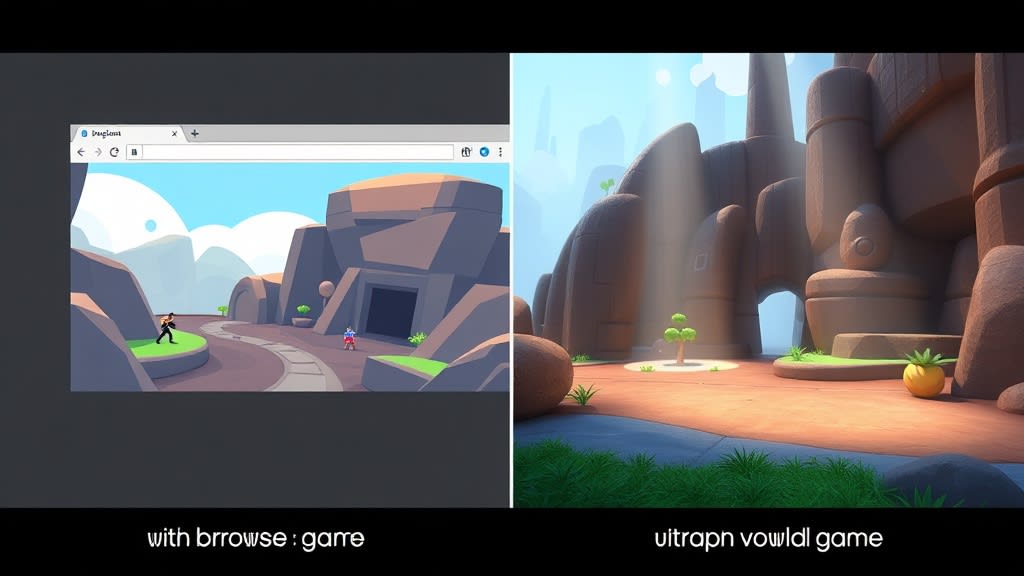
Rosebud is genuinely good at what it does. Type a prompt, get a playable browser game in seconds. For quick prototypes and game jam ideas, it is hard to beat.
But if you have tried to take a Rosebud game further, you already know the limits. No Steam export. No desktop builds. No real editor to fine-tune physics or swap in custom art. The game lives and dies in a browser tab.
This guide covers seven alternatives, organized by what you actually want to build and how honest the tradeoffs are.
{/* IMAGE: Hero comparison graphic showing Rosebud's browser output vs a desktop-exported game running on Steam. Split-screen style, 1200x630, illustration/diagram */}
Why Developers Outgrow Rosebud
Rosebud optimizes for one thing: speed to playable. That is a real strength, and for throwaway prototypes it is the right tool. The friction starts when you want more:
- No Steam or desktop export. Your game only runs in a browser window.
- Limited 3D. Output is mostly 2D or basic pseudo-3D.
- No scene editor. You cannot inspect nodes, adjust collision shapes, or rearrange level geometry.
- No custom assets. You cannot import your own sprites, models, or audio.
- Opaque output. You get a playable page, not a project you can open in another tool.
If those limitations do not bother you, stick with Rosebud. Seriously. It is great at its job. The alternatives below are for when you need something Rosebud was never designed to do.
Quick Comparison
Before the deep breakdown, here is how they stack up side by side:
| Feature | Rosebud | Summer Engine | SEELE AI | GDevelop | Star | Construct 3 | GameMaker |
|---|---|---|---|---|---|---|---|
| AI-native creation | Yes | Yes | Yes | Partial | Yes | No | No |
| Full game engine | No | Yes | No | Yes | No | Yes | Yes |
| 3D support | Limited | Full | Limited | Experimental | No | No | Limited |
| Steam export | No | Yes | No | Yes | No | Via wrapper | Yes |
| Desktop app | No | Yes | No | Both | No | Browser only | Yes |
| No-code option | Yes | Yes | Yes | Yes | Yes | Yes | Drag and drop |
| Free tier | Yes | Yes | Yes | Yes | Yes | No | Free (limited) |
| Template count | Limited | 70+ | Limited | 100+ | None | 50+ | 20+ |
| Custom asset import | No | Yes | No | Yes | No | Yes | Yes |
| Code access | No | GDScript | No | Events | No | Events | GML |
{/* IMAGE: Side-by-side screenshot grid showing each tool's main editor/interface. 6-panel grid layout, 1200x800, screenshots */}
1. Summer Engine
Best for: Shipping a real game to Steam or desktop
Summer Engine is the first AI-native game engine. You create through conversation, but underneath you get a full Godot 4-compatible project with scenes, scripts, and an editor you can open at any time.
What works well:
- Full game engine with scene tree, inspector, debugger, and asset pipeline
- Export to Steam with Windows and macOS builds (no web export yet)
- Full 3D with lighting, physics, and materials
- 70+ starter templates across genres (platformers, RPGs, horror, racing, strategy)
- AI and manual editing coexist. Chat for speed, switch to the editor for precision.
- Compatible with Godot 4 projects and plugins
What does not work well:
- Requires downloading a desktop app. Not browser-based.
- Slower for throwaway prototypes than Rosebud. You are working in an engine, not a webpage.
- The editor has a learning curve if you want to go beyond AI conversation.
- Newer product. The community is smaller than established engines.
Honest take: If your goal is "make something I can actually put on Steam," Summer Engine is the most direct path with AI. If you just want to show a friend a quick browser game, Rosebud is faster.
{/* IMAGE: Screenshot of Summer Engine editor showing a platformer project with the AI chat panel open on the side. 1200x675, screenshot */}
2. SEELE AI
Best for: Prototyping before moving to Unity
SEELE is a browser-based AI game creator with a Unity export option, which is its standout feature.
What works well:
- Unity export connects browser prototyping to a production engine
- Custom EVA-01 AI model trained specifically for game creation
- Active community with regular game jams on itch.io
- Claims 100K+ users
What does not work well:
- The creation process is still browser-based. You are generating, not building.
- "Unity export" does not mean you get a polished Unity project. The quality of the exported code varies.
- Relatively new. Few shipped production games as proof points.
- Limited control over the generated output before export.
Honest take: SEELE's Unity export is a real differentiator, but test the quality of that export before committing. A quick prototype that needs heavy rework in Unity may not save you much time.
3. GDevelop
Best for: No-code 2D games without relying on AI
GDevelop is a mature open-source game engine built around visual event sheets instead of code. AI features were added recently but are not the core experience.
What works well:
- Years of development and a large community
- 100+ templates to start from
- Exports to web, desktop, and mobile
- Open source with active development
- Visual event sheets are intuitive for non-programmers
What does not work well:
- AI is a bolt-on, not the core workflow. You are still building with event sheets.
- Primarily 2D. 3D support is experimental and limited.
- Event-based logic hits a ceiling for complex game systems (inventory, AI behavior trees, networking).
Honest take: GDevelop is the most proven no-code option on this list. If you do not specifically want AI-driven creation and you are making a 2D game, GDevelop is a solid choice with years of shipped games behind it.
4. Star (buildwithstar.com)
Best for: 30-second prototypes and game jam ideation
Star is the fastest prompt-to-playable tool on this list. Describe a game, play it almost instantly.
What works well:
- Extremely fast generation
- Clean interface with low friction
- Free to use
What does not work well:
- Web-only output. No export to any platform.
- Very limited customization after generation. You mostly get what you get.
- No editor, no scene tree, no scripting. 2D only.
Honest take: Star is useful for one thing: quickly testing whether a game concept is fun. Think of it as a napkin sketch, not a blueprint. If your prototype works in Star, rebuild it in a real engine.
5. Construct 3
Best for: Proven no-code 2D engine (no AI needed)
Construct 3 is a browser-based no-code engine that predates the AI wave. It has years of polish and a large ecosystem.
What works well:
- Very mature with extensive documentation and tutorials
- Browser-based editor, no install required
- Exports to web, mobile, and desktop (via wrappers)
- Large marketplace of assets and plugins
- Active community with many shipped games
What does not work well:
- No AI features at all. Everything is manual.
- 2D only. No 3D support.
- Subscription pricing ($99/year for personal, more for business).
Honest take: Construct 3 is not an AI tool and does not pretend to be. If you want to learn game development with visual scripting and do not care about AI assistance, it is one of the most reliable options available.
6. GameMaker
Best for: 2D games with code access and a long track record
GameMaker has been around since 1999. It uses its own scripting language (GML) and has shipped hits like Undertale, Hyper Light Drifter, and Katana ZERO.
What works well:
- Proven track record with major indie hits
- GML is simple to learn but capable enough for complex games
- Exports to every major platform including consoles
- Good documentation and large community
- Recent free tier makes it accessible
What does not work well:
- No AI features. All development is manual.
- Primarily 2D. 3D is possible but not the intended use case.
- GML is proprietary, so your skills do not transfer to other engines.
- The free tier has export limitations.
Honest take: GameMaker is a strong choice if you want to make a serious 2D game and are willing to learn GML. It is not an AI tool, but the games it produces are real, shippable products.
7. Godot (without AI)
Best for: Full control with an open-source engine
Godot is the open-source game engine that Summer Engine is built on. Using Godot directly gives you maximum control but no AI assistance.
What works well:
- Completely free and open source
- Full 2D and 3D support
- GDScript is easy to learn, and C# is also supported
- Exports to desktop, web, and mobile
- Growing community and plugin ecosystem
- No licensing fees or revenue sharing
What does not work well:
- No AI assistance. You build everything from scratch.
- Steeper learning curve than any AI tool on this list.
- Smaller asset marketplace than Unity or Unreal.
- Console export requires third-party solutions.
Honest take: If you want to learn game development properly and do not mind the time investment, raw Godot is excellent. Summer Engine adds AI on top of Godot, so switching between them is seamless.
{/* IMAGE: Decision flowchart diagram. Start: "What do you want to build?" branching to "Quick browser prototype" (Rosebud/Star), "2D game, no AI needed" (GDevelop/Construct/GameMaker), "Real game for Steam" (Summer Engine/Godot), "Prototype for Unity pipeline" (SEELE). 1200x800, diagram */}
How to Pick the Right Tool
You want the fastest possible prototype: Use Rosebud or Star. Accept that it is a browser demo, not a shippable game.
You want to ship a real game to Steam: Use Summer Engine (with AI) or Godot (without). Both export native desktop builds.
You want to prototype before moving to Unity: Try SEELE AI. Test the quality of the Unity export before committing your workflow to it.
You want no-code without AI: GDevelop for 2D with visual events. Construct 3 for a polished browser-based editor.
You want a proven 2D engine with scripting: GameMaker has shipped more indie hits than any tool on this list.
You want AI assistance in a real engine: That is Summer Engine's specific niche. AI conversation plus a full Godot 4-compatible editor.
The Honest Summary
Rosebud is a good tool solving a specific problem: instant browser game prototypes. Every alternative on this list trades some of that speed for capabilities Rosebud does not offer.
There is no single "best" tool here. The right choice depends on whether you care more about speed, export targets, engine depth, or AI assistance. If you know you want to ship to Steam, you need a real engine. If you want a quick demo for a meeting, Rosebud still wins.
Summer Engine is our product, so take our recommendation with appropriate skepticism. The best way to evaluate any of these tools is to try them on your actual project.
Keep reading
All posts- Jun 6, 2026 · 6 min readAn AI Game Maker Like Rosebud That Can Ship to Steam (2026)You love how fast Rosebud turns a prompt into a playable game. Here is an AI game maker that keeps that speed but gives you a real project you own and can export to Steam, desktop, and mobile.

- Jun 6, 2026 · 8 min readAI Game Maker vs Game Engine: Which One Do You Actually Need?An AI game maker hands you a playable link. A game engine hands you a real project you can ship to Steam. Here is the difference, when each one wins, and how to pick.

- Jun 6, 2026 · 8 min readThe Best AI Game Maker According to Reddit (2026 Community Verdict)What Reddit actually says about AI game makers in 2026. The recurring praise, the recurring complaints, and an honest read on which tool fits which kind of redditor, Summer Engine included.
