How to Make a Game in 2026 (Complete Beginner Guide)
Learn how to make a game from scratch with zero experience. A step-by-step beginner guide covering tools, first projects, and publishing your game in 2026.
By Summer Team
You play games. Maybe you have played thousands of them. At some point, probably more than once, you have thought: "I could make something like this."
Good news. You can. And in 2026, making a game is more accessible than it has ever been.
You do not need a computer science degree. You do not need to know how to code. You do not need a team or a budget. You need an idea, a free tool, and a few hours.
This guide will walk you through the entire process, from zero to a finished game you can share with the world.
Step 1: Start Small
This is the most important step, and almost every beginner skips it.
Your first game should take a weekend to make. Not a month. Not a year. A weekend.
Here is what happens when beginners ignore this advice. They imagine a massive open-world RPG with 40 hours of content, online multiplayer, and a crafting system. They spend weeks planning it out. Then they open a game engine, realize they do not know how to make a character walk across the screen, and quit.
Instead, pick something tiny:
- A platformer with one level (think classic Mario, but just one screen)
- A simple puzzle game (match colors, slide tiles, connect dots)
- A clicker game (tap a button, number goes up, buy upgrades)
- A top-down maze where you avoid enemies
These are not boring projects. They are the projects that actually get finished. Every professional game developer started with something like this. Stardew Valley started as a farming experiment. Undertale started as a tiny RPG demo. Vampire Survivors started as a weekend prototype.
Make something small. Finish it. Then make something bigger. That is the path.
Step 2: Pick Your Tool
A "game engine" is the software you use to build a game. It handles the hard stuff (drawing graphics on screen, playing sounds, detecting when things collide) so you can focus on the creative part.
There are more options than ever in 2026. Here are the main paths, sorted from easiest to most powerful.
AI Game Engines (Easiest)
Summer Engine lets you make games by describing what you want in plain English. You type something like "make a platformer where a cat jumps between floating islands," and the AI builds a playable game for you. You play it, give feedback ("make the jump higher," "add coins to collect"), and the AI updates the game in real time.
No code. No tutorials. Just a conversation.
The game runs on the Godot engine under the hood, which means it is a real, full game project. You can export it as a desktop build for Steam and itch.io. You can also open the project in the regular Godot editor if you ever want to learn how everything works.
Best for: complete beginners who want to make a real, shippable game without learning to code first.
For a deeper look at the three workflows for AI game creation, including AI-assisted Unity and Unreal, read How to Make a Game with AI in 2026.
No-Code Visual Engines
Tools like GDevelop and Construct 3 let you build games using visual logic blocks instead of code. You drag and drop conditions and actions: "When player presses jump button, move character up." It looks like building with LEGO instead of writing paragraphs.
These work well for 2D games. You still need to learn how the tool works and build everything manually, but you never have to type a line of code. The learning curve is real but manageable. Expect to spend a few days getting comfortable.
Best for: people who want hands-on control and enjoy figuring out how systems connect, but do not want to learn a programming language.
Traditional Game Engines
Godot, Unity, and Unreal Engine are the industry-standard tools. Most commercial games are built with one of these. They are extremely powerful and can make anything from a phone game to a AAA console title.
The tradeoff: you need to learn how to code. Godot uses GDScript (similar to Python), Unity uses C#, and Unreal uses C++ or Blueprints (a visual scripting system). Expect to spend weeks or months learning the basics before you can make something that feels good.
These are the right choice if you want a career in game development or want to understand every detail of how your game works. They are not the fastest path to your first finished game.
Best for: people who want to learn programming and build deep technical skills over time.
Browser-Based Tools
Rosebud and Star let you generate simple games directly in your web browser. Type a prompt, get a playable game. No download, no installation, instant results.
The limitation: these create web-only games. You cannot export to Steam or mobile app stores. The games tend to be simpler and the customization options are limited. But for quick experiments and sharing game ideas with a link, they are great.
Best for: quick prototyping, game jams, or sharing ideas without any setup.
Step 3: Make Your First Game
Let's walk through making a simple platformer in Summer Engine, start to finish.
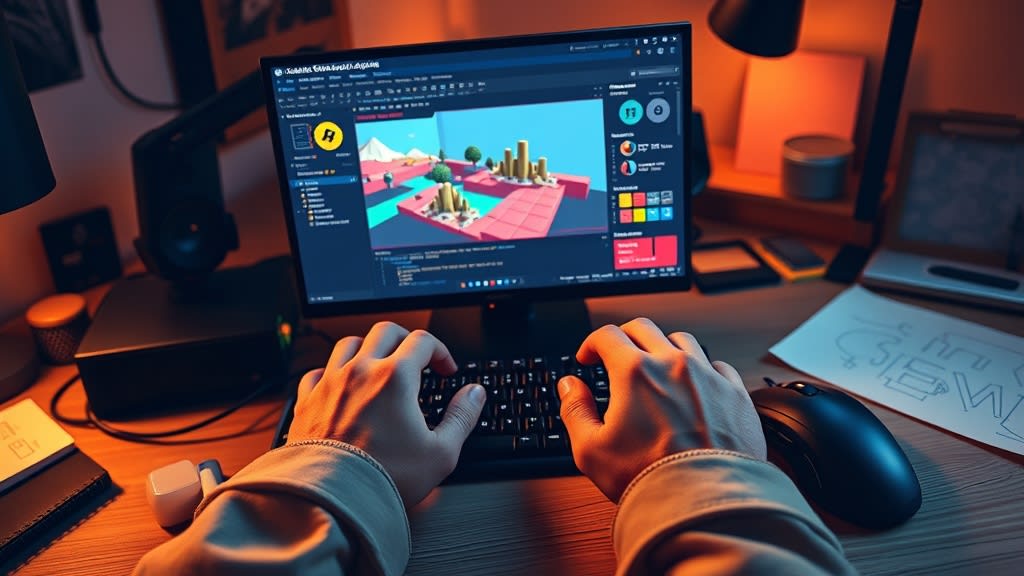
First, download Summer Engine from the downloads page and open it. You will see a chat window. This is where you talk to the AI to build your game.
Type something like this:
"Make a 2D platformer. The player is a small blue square that can run and jump. There are 5 floating platforms at different heights. Put a gold star at the top right of the level. When the player reaches the star, show a 'You Win' screen."
Within a minute, you will have a playable game. Click Play and try it out. The character moves, the physics work, and the win condition triggers when you reach the star.
Now comes the fun part: iteration. Play your game and notice what feels off. Maybe the jump is too floaty. Maybe the platforms are too far apart. Tell the AI:
"Make the jump snappier and faster. Move the third platform a bit to the left so the gap is not so wide. Add a simple enemy that walks back and forth on the bottom platform."
The AI updates your game and you can play the new version immediately. This back-and-forth is how you develop the game. You are the designer and creative director. The AI handles the implementation.
After a few rounds of this, you will have a real, playable platformer that you built in an afternoon. No tutorials, no Stack Overflow, no debugging mysterious error messages.
Step 4: Make It Your Own
A game is not just mechanics. It is art, sound, and personality. This is where your game goes from "tech demo" to something people actually want to play.
Art and visuals. You can ask the AI to change the look of your game ("make it pixel art style," "give the background a sunset gradient") or import your own artwork. If you can draw, scan your sketches. If you cannot, there are free asset packs all over the internet. Sites like itch.io, Kenney.nl, and OpenGameArt have thousands of free sprites, tilesets, and animations.
Sound and music. Sound is one of the most underrated parts of a game. A satisfying jump sound, a coin collect chime, and some background music will make your game feel ten times more polished. Free sound libraries like Freesound.org and free music from Kevin MacLeod (incompetech.com) can get you started. You can also ask the AI to add placeholder sounds while you work on gameplay.
Level design. This is pure creativity. Add more levels. Make them progressively harder. Introduce new mechanics one at a time. Study games you love and notice how they teach the player without tutorials. The best level design feels like a conversation between the designer and the player.
Step 5: Share It
You made a game. Now let people play it.
itch.io is the easiest place to publish. It is free, the community is supportive, and you can upload your game in minutes. This is where most indie developers put their first games.
Steam is where serious players shop. There is a one-time $100 fee to create a developer account, but once you are set up, your game is on the biggest PC gaming platform in the world. We wrote a complete guide on how to publish your game on Steam.
Mobile (iOS and Android) is an option if you built your game in an engine that supports mobile export, like Summer Engine, Unity, or Godot. Mobile has the largest audience but also the most competition.
Web works for quick sharing. Export an HTML5 build, host it on itch.io or your own website, and send people a link. No download required. Web export is not available in Summer yet, so this route needs a tool with web export, such as GDevelop or Construct.
Pick one platform and ship. You can always add more later.
Common Mistakes Beginners Make
Scope creep. You start making a simple platformer. Then you think "what if I add an inventory system?" Then a dialogue system. Then multiplayer. Then a procedurally generated world. Suddenly your weekend project is a two-year commitment and you have finished none of it. Resist the urge to add features. Finish the small version first.
Perfectionism. Your first game will not be good. That is fine. It is not supposed to be good. It is supposed to be finished. A finished bad game teaches you more than an unfinished masterpiece. Ship it, learn from it, make the next one better.
Learning to code before making anything. Some people spend months studying C++ or C# before they ever open a game engine. This is backwards. Make a game first. Learn to code later, if you want to. The motivation to learn is much stronger when you have a specific problem to solve ("how do I make my enemy chase the player?") instead of an abstract goal ("learn programming").
Working alone on everything. You do not have to make every asset yourself. Use free art. Use free music. Use AI to generate what you need. The game industry runs on collaboration and shared resources. There is no award for suffering through every pixel.
Never sharing your work. Put your game out there even if it is rough. The feedback you get from real players is worth more than a hundred hours of solo polishing. Post it on itch.io, share it with friends, put it in a game dev Discord. You will be surprised how encouraging people are toward beginners who actually finish something.
Start Making Your Game Today
You do not need permission. You do not need a degree. You do not need to wait until you "know enough."
Open Summer Engine, describe a game idea, and hit play. You will have a working game in minutes. Explore the templates gallery if you want a starting point.
The best time to start making games was ten years ago. The second best time is right now.
Keep reading
All posts- Jun 6, 2026 · 8 min readHow to Make a Game for Beginners (Build Your First One Today)A hands-on, step-by-step guide for total beginners. Pick a tiny first game, build it one piece at a time with AI, test it after every step, and have something playable by tonight.

- Jun 6, 2026 · 8 min readHow to Make a Game Without Coding (Step by Step, 2026)A real, no-code walkthrough for making a game in 2026. The exact words to type, three small games you can build from scratch, and an honest look at what works without writing code.

- Mar 28, 2026 · 7 min readHow to Make an RPG Game (Beginner Guide)Learn how to make your own RPG game from scratch. A practical beginner guide covering RPG types, core systems, tools, and step-by-step instructions to build your first RPG in 2026.